If a store provides an Apple Wallet pass, add it on your iPhone and it will sync to Apple Watch. If the loyalty program only shows a barcode in its iPhone app, use a barcode app that can display the code on the watch through its app, a complication or a Smart Stack widget.
Add the loyalty card to Apple Wallet
If your store issues a real Wallet pass, add it - Wallet passes sync to the watch, and double-clicking the side button gets you there. Plenty of loyalty programs don't offer one, though, or bury the barcode inside their own iPhone app with no watch app in sight. That's the gap.
Add the loyalty barcode with an Apple Watch app
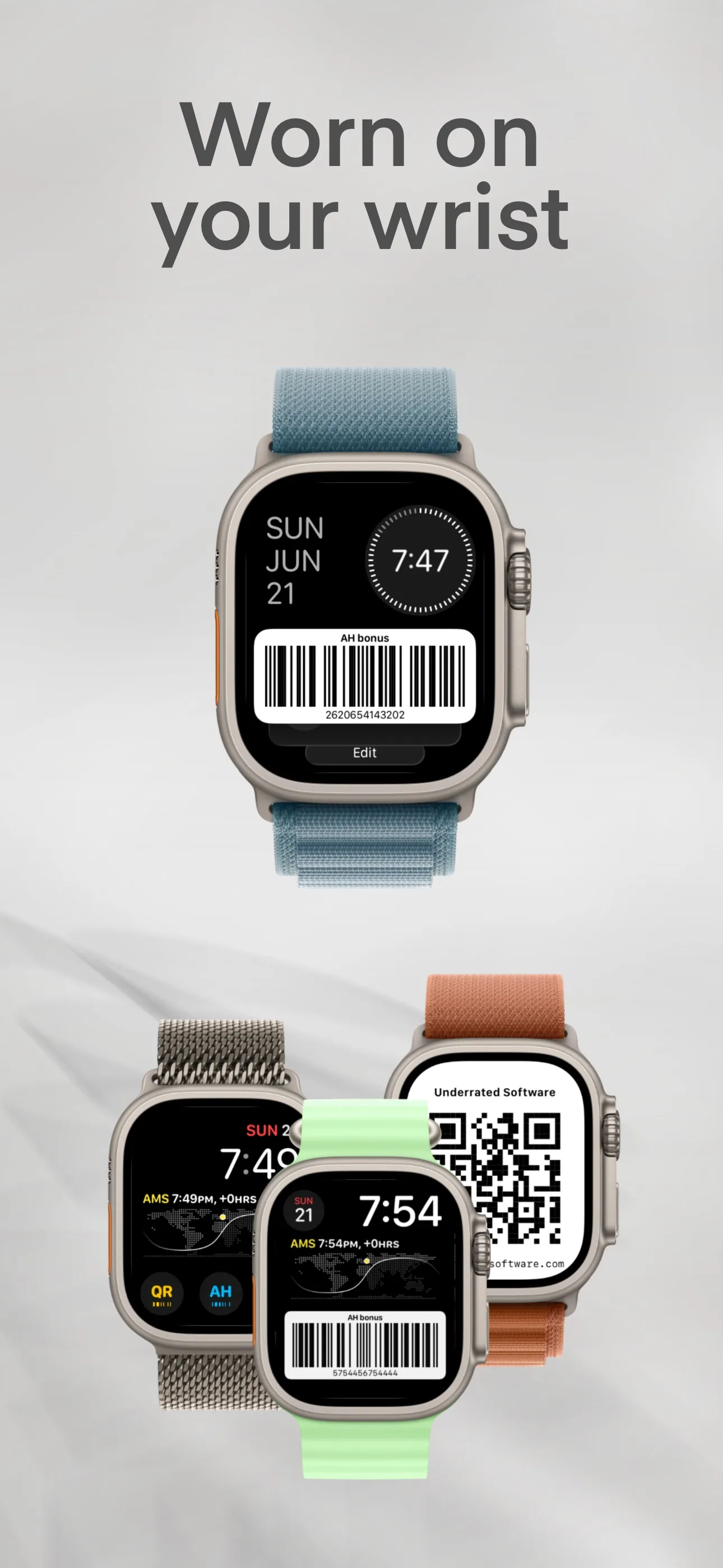
Wrist Codes stores loyalty barcodes added on the iPhone and syncs them to the watch. You can open a code from the watch app, place a shortcut or barcode on the watch face, or add it to the Smart Stack.
A complication on the watch face can provide a one-tap route to a saved code. Some complication families can render the code directly. Whether a particular checkout scanner reads a watch display depends on the code, its size and contrast, and the scanner hardware.
A Smart Stack widget can show a saved code or open it quickly. Test the actual code at the retailer before relying on a wrist-only trip.
Open the watch app for cards you use less often or when you need to browse several saved codes.
At a compatible self-checkout, scan the loyalty barcode from the watch and pay with Apple Pay. This workflow was tested with an Albert Heijn bonuskaart on a camera-based checkout scanner.
Complications and widgets are snapshots that watchOS refreshes on its own schedule. After editing a code, tap the complication to open the app, which always shows the current barcode.
Free, for iPhone and Apple Watch. iPhone Home Screen widgets included.
FAQ
Can I put a store loyalty card on my Apple Watch?
Yes. If the store issues an Apple Wallet pass, use Wallet. If it doesn't, Wrist Codes stores the barcode and shows it on the watch via complications and widgets.
Can a checkout scanner read a barcode from a watch screen?
Some camera-based checkout scanners can read a bright, high-contrast code from a watch display; the Albert Heijn checkout observation described above did. Scanner hardware and barcode format vary, so this is not guaranteed at every till.
Why does my complication show an old barcode?
Complications are snapshots refreshed on the system's schedule. Tapping it opens Wrist Codes with the current data; switching watch faces and back also nudges a refresh.